An exchange connection is easy to describe as a convenience: one screen for charts, orders and positions. The permission behind that connection deserves a slower read.
Can it view an account? Place orders? Move funds? Which account does it act on? Where do you revoke it?
Before connecting Binance or Hyperliquid to a trading terminal, verify the domain, connection mode, account identity, requested permissions and revocation path. Then confirm the terminal's view against the exchange. A connected indicator establishes a connection; it does not prove every setting is correct.
Start with the work you want the connection to do
Viewing public market data needs less authority than placing orders. Reading balances needs private account access. Trading authority can create financial exposure. Transfer authority is another capability again.
Binance's API documentation distinguishes public data, private account information and trading permissions. The key's allowed actions should match the task. Do not grant extra permissions merely to make a connection error disappear.
Connection is a set of permissions
Review the authority granted by each connection mode before enabling it.
Read charts
No private trading credential is needed to retrieve public prices and market activity.
Inspect account information
Reading balances and orders exposes account information but does not by itself authorize a trade.
Place or cancel orders
A trading credential can create financial losses even when withdrawal permission is disabled.
Separate authority
Do not add withdrawal permission to a Binance key for ordinary terminal trading. Review wallet transfer requests separately.
For Beneat, begin at app.beneat.ai or follow the link from the public site. The terminal documentation describes Hyperliquid wallet or API connections and exchange API-key connections, including Binance. Availability of exchange products still depends on the exchange account and applicable access conditions.
Binance: inspect the key before entering it
Create a dedicated key in Binance's own API management interface so its purpose is identifiable later. Use the connection format supported by the terminal. Do not assume that every API key type offered by an exchange is accepted by every integration.
Binance's key-creation guide explains permission controls and IP restrictions. Use the required account-reading and trading permissions for the intended product. Ordinary terminal trading does not require enabling withdrawals on the key.
If IP restrictions are required for the connection, obtain the correct supported addresses through the terminal's current setup guidance. Do not guess a server address or weaken the exchange's security settings to work around an error. Permission names and eligibility can change, so check the live exchange page rather than relying solely on an old screenshot.
A key without withdrawal authority still carries risk if it can trade. An unwanted order can lose money through price movement, leverage or poor execution. Limiting authority reduces what the credential can do; it does not make trading authority harmless.
Keep the secret out of screenshots, support messages and shared notes. Record the key's label and purpose instead. If a credential is exposed, revoke it at the exchange and review the account activity before replacing it.
Hyperliquid: distinguish the account from its signer
Hyperliquid's API-wallet documentation describes approved API wallets, also called agent wallets, that can sign on behalf of a master account or its subaccounts. The signer and the account holding the positions are different identities.
That distinction can explain an apparently empty account view. Hyperliquid's info-endpoint documentation specifies that account queries should use the actual master or subaccount address, not the agent wallet address.
For a wallet-based connection, inspect the action presented for approval. An account connection, a trading authorization and a fund transfer should not be treated as interchangeable requests. Use the supported wallet flow; never paste a wallet recovery phrase into a form presented as routine terminal setup.
If you use multiple accounts or subaccounts, verify which one owns the positions displayed. A correct signer connected to the wrong account context can produce a confusing interface even when the connection itself works.
Locate the controls in Beneat
The current Beneat connection guide directs users to the exchange status indicator in the top bar or the Exchange Connection option in the profile menu. Select the exchange, follow the supported credential or wallet flow, then confirm the connected state.
Find the account context before placing an order
The exchange indicator sits above the chart; positions appear below it.
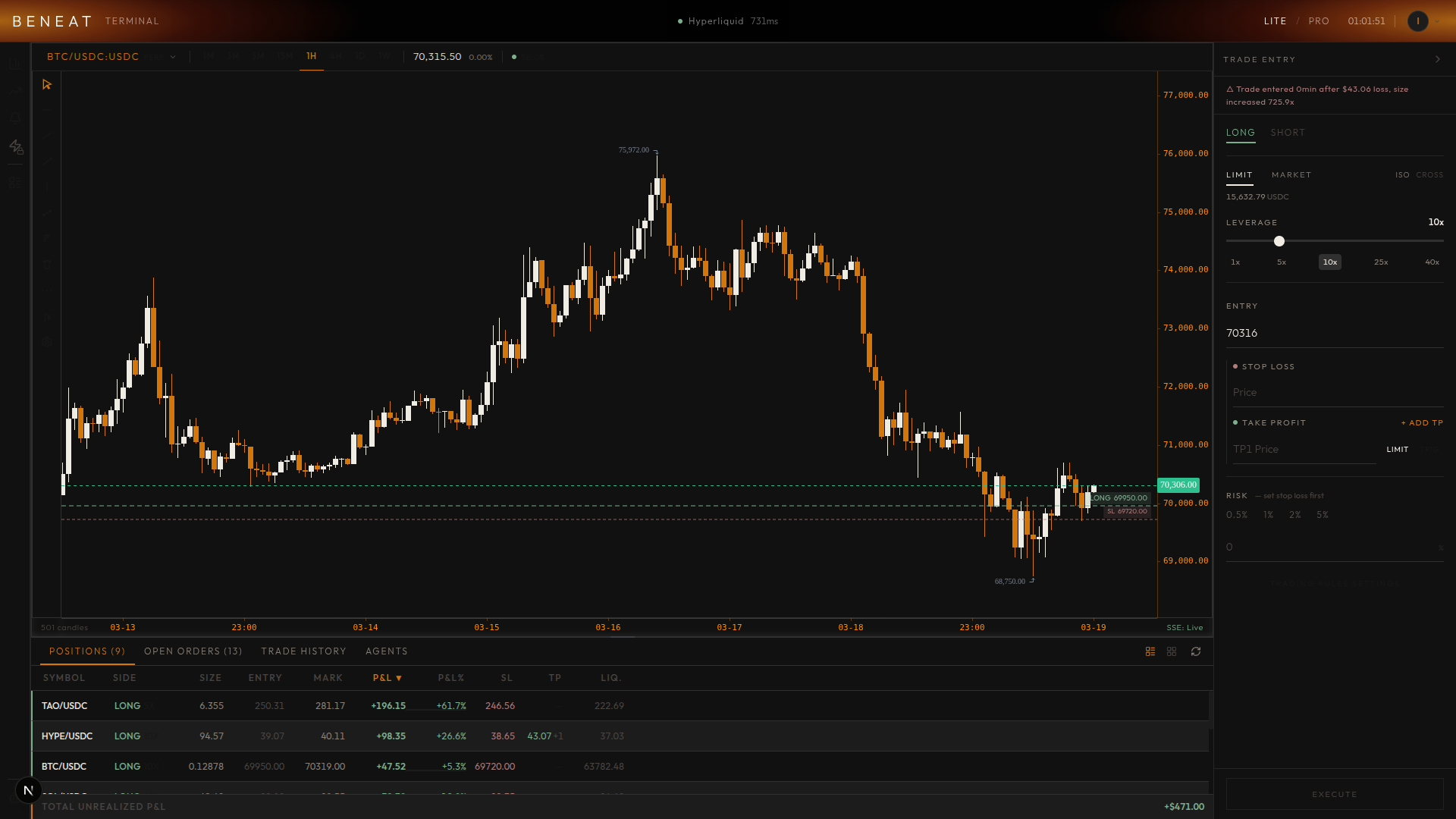
After connection, verify a few facts against the exchange:
| Item | What should agree |
|---|---|
| Account or subaccount | The account you intended to connect |
| Market | Correct symbol, quote asset and product type |
| Positions | Direction and quantity, with understood contract units |
| Orders | Working orders and their current exchange status |
| Margin settings | The mode and leverage intended for that market |
An empty order list might mean there are no orders, but it might also mean the wrong account or product is selected. Resolve that before interpreting the screen as permission to add exposure.
Know how to leave the connection
Find the exchange-side key deletion or agent-approval management path before you need it. Disconnecting an interface and revoking its credential are different operations. A local disconnect should not be assumed to remove all authority at the exchange.
Revocation also does not close positions by itself. Existing orders and exposure need their own review through the exchange. Keep access to the native exchange interface available in case the terminal is unavailable or its state looks stale.
Review an order before submitting one
Once the account view is consistent, inspect the order ticket without rushing to trade. Check direction, quantity, order type, margin mode and any protective orders. Understand whether a control places an exchange order or changes only a local setting.
The Beneat trading guide and position-management guide explain the product workflow. The trading expectancy article explains why costs and sizing still matter after the connection is working.
The useful endpoint is a connection you can explain: this terminal can perform these actions, on this account, through this credential or wallet approval, and this is where you revoke it. That is a better operational check than the color of the status dot.